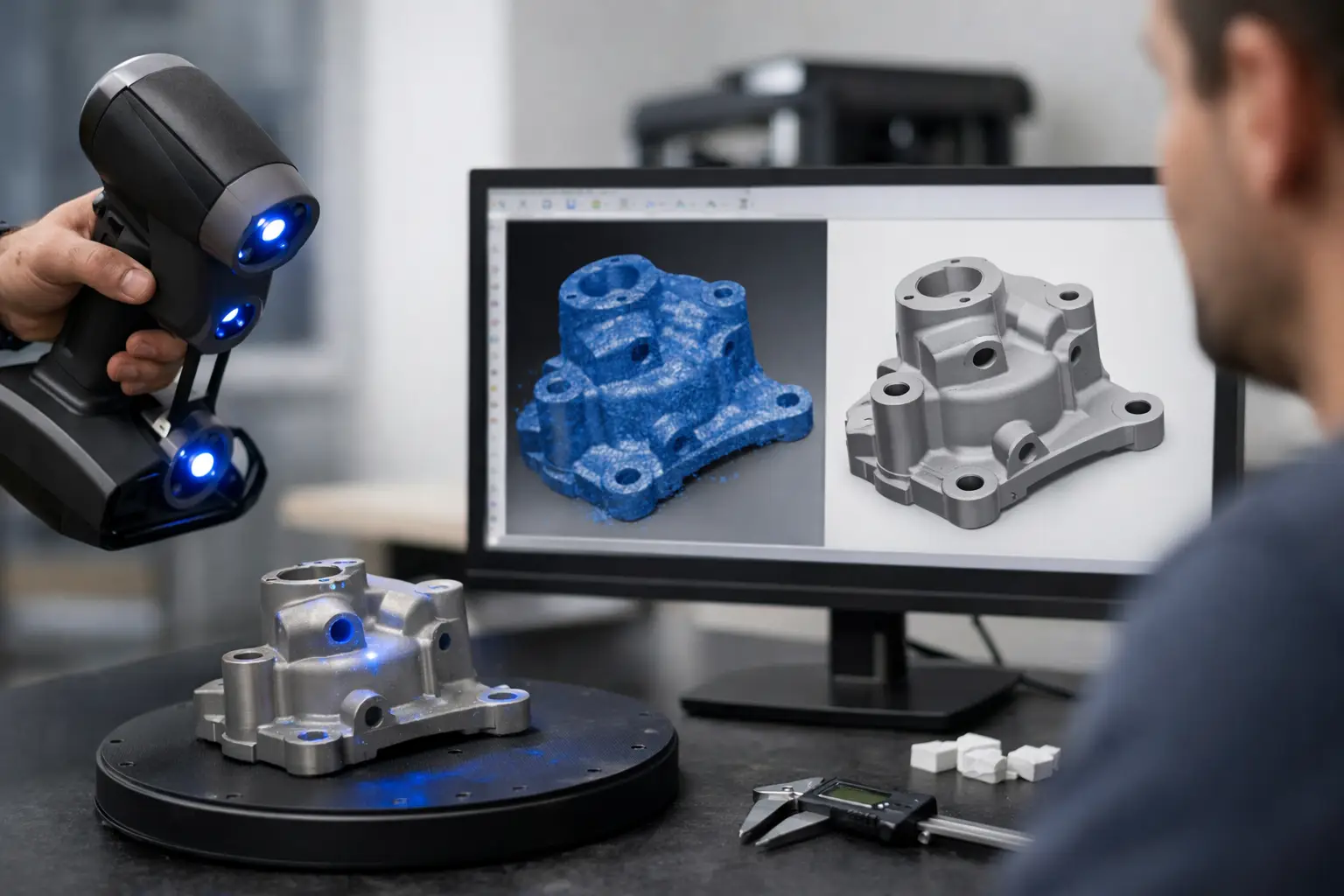
A scan to CAD workflow fails long before CAD if the capture is weak. That is the part many teams still underestimate. They treat scanning as a fast front end, then expect engineering-grade output downstream. What they get instead is noisy geometry, missing surfaces, and hours of cleanup that erase the speed advantage they were chasing in the first place.
The real opportunity is bigger than faster modeling. A strong scan to CAD workflow turns physical reality into editable data that can move across design, commerce, operations, and field documentation. That matters whether you are rebuilding a legacy part, generating product assets for retail, checking an installation on site, or capturing anatomy for a medical application. The workflow is no longer a niche technical process. It is becoming infrastructure.
What a scan to CAD workflow is really doing
At its core, the process converts captured spatial data into structured geometry that people can use inside design and production systems. The input might be a phone-based scan, LiDAR capture, photogrammetry output, or a higher-end industrial scan. The output might be a watertight mesh, a surface model, a parametric solid, or a drawing-ready reference model.
That distinction matters because not every project needs the same end state. If your goal is visualization, a clean mesh may be enough. If you need manufacturing changes, tolerance checks, or reverse engineering, the bar is much higher. Teams lose time when they talk about scan to CAD as if it always means a fully parametric model. Sometimes it does. Sometimes the smartest move is to stop earlier and use the scan-derived geometry as a trusted reference.
The five stages that define outcomes
A scan to CAD workflow is usually described as scan, clean, model, verify, deliver. That sequence is correct, but it hides where value is won or lost.
1. Capture
Capture sets the ceiling for everything after it. If the object has reflective surfaces, deep recesses, thin edges, or soft organic transitions, your scanning method has to match that reality. A smartphone workflow can be remarkably effective for many commercial and creative jobs, especially when speed, accessibility, and volume matter. For precision-sensitive industrial or medical use cases, the acceptable tolerance window may force a more controlled setup.
This is where teams should make a business decision, not just a technical one. The cheapest capture method is not the one with the lowest upfront cost. It is the one that creates the least downstream correction per usable model.
2. Data cleanup
Raw scans are rarely production-ready. You will usually need to remove floating artifacts, close holes, simplify or densify regions, and align multiple passes. Cleanup is not glamorous, but it determines whether modeling becomes efficient or tedious.
There is a trade-off here. Over-clean a scan and you can erase features that matter. Under-clean it and your CAD step becomes unstable and slow. The right balance depends on what the CAD model is meant to preserve. A cosmetic housing, an orthopedic shape, and a freight volume all require different levels of geometric fidelity.
3. Geometry extraction and modeling
This is the point where scan data becomes engineering language. For hard-surface objects, teams often extract planes, cylinders, holes, edges, and symmetry. For organic forms, they may rebuild surfaces or use mesh-driven workflows that preserve freeform shape.
Not every part should be modeled the same way. Legacy mechanical components often benefit from feature-based reconstruction because the end user needs editable dimensions. A damaged architectural element may be better served by surface reconstruction that prioritizes visual accuracy. In medical and wearable categories, comfort and anatomical fit can outweigh neat parametric logic.
The strongest workflows are selective. They do not force full parametric conversion on every object. They model what must be editable and keep what should remain true to the captured form.
4. Validation
If you skip verification, you are guessing. Comparing the CAD output back against the source scan is how you confirm fit, deviation, and risk. In a consumer workflow, that may be a visual overlay. In a regulated or tolerance-driven environment, it can mean formal deviation analysis.
This step is where scan to CAD becomes commercially credible. Speed alone does not justify adoption. Confidence does.
5. Delivery into the wider workflow
A CAD file is not the finish line. It needs to move into the systems that create business value - design reviews, manufacturing prep, e-commerce pipelines, AR previews, clinical planning, or field operations. When this handoff is messy, organizations end up with isolated 3D assets instead of a usable digital pipeline.
That is why the best platforms think beyond scanning. They connect capture, processing, and application instead of treating them as separate purchases.
Where scan to CAD workflows break
Most failures come from one of three mismatches.
The first is mismatch between capture quality and output expectations. A team scans with a lightweight setup but expects machinable precision. The second is mismatch between object type and modeling approach. They try to force organic geometry into rigid parametric logic, or they leave hard-surface parts as messy meshes when downstream users need editable features. The third is mismatch between the workflow and the business context. They optimize for a perfect model when the market actually needs speed and repeatability.
This is why a universal best practice does not exist. An e-commerce operator digitizing product lines, an orthotics provider capturing body geometry, and an industrial maintenance team rebuilding unavailable parts are all running different versions of the same pipeline. The technology stack may overlap, but the success criteria are not identical.
Why mobile capture is changing the economics
The old version of scan to CAD was hardware-bound, specialist-led, and hard to scale. That model still has a place in high-precision environments, but it is no longer the only serious path. Mobile scanning has changed the entry point by making capture faster, cheaper, and easier to distribute across teams.
That shift matters because most organizations do not have a scanning problem. They have a throughput problem. They need more objects captured by more people in more places without waiting on a specialist bottleneck. Once capture becomes broadly available, scan to CAD can operate at platform scale instead of project scale.
This is where MagiScan fits the market direction. The company is building beyond a scanner app and into a spatial AI ecosystem where capture, generation, and application connect in one operating layer. That matters for teams who do not just need a model. They need a repeatable pipeline that turns reality into usable digital assets across verticals.
How to design a scan to CAD workflow that scales
Start by defining the output in business terms. Ask what the model must do, not just what format it must be in. Does it need to support manufacturing edits, customer visualization, measurement, archival documentation, or clinical fit? That decision changes every step upstream.
Next, classify your objects. Hard-surface products, interiors, anatomy, irregular cargo, and heritage elements should not all move through the same capture and reconstruction rules. Standardization is powerful, but only when it respects object families.
Then decide where automation helps and where human review is still worth the cost. AI can accelerate segmentation, mesh optimization, and geometry suggestion. It can reduce friction dramatically. But in tolerance-critical cases, human validation remains a smart checkpoint. The strongest organizations are not choosing between AI and experts. They are using AI to reserve expert time for the moments that actually require judgment.
It also pays to measure the right thing. Many teams track scan time because it is easy. A better metric is time to usable CAD, or even time to approved downstream action. If a faster scan adds two extra hours of correction, it is not faster in any meaningful business sense.
Finally, build for interoperability from day one. The scan to CAD workflow should not end in a folder full of disconnected files. It should feed the systems that create value across your operation. That may include AR commerce, digital twins, manufacturing preparation, clinical tools, or asset libraries for creative teams.
The shift from conversion to capability
The market is moving past simple file conversion. Scan to CAD is becoming part of a broader spatial workflow where captured reality can be edited, analyzed, visualized, and deployed across multiple functions. That is the strategic shift. The winners will not be the teams with the most scans. They will be the teams that turn scans into decisions, products, and revenue faster than everyone else.
If you are rethinking your pipeline, start with one hard question: where does your current workflow create friction after the scan? That answer is usually where the next wave of value is hiding.